How do you add a tag?
Automatically translated
In the organisation settings, owners and admins can manage tags centrally. It is important to always select the correct section, because tags are defined and used per section.
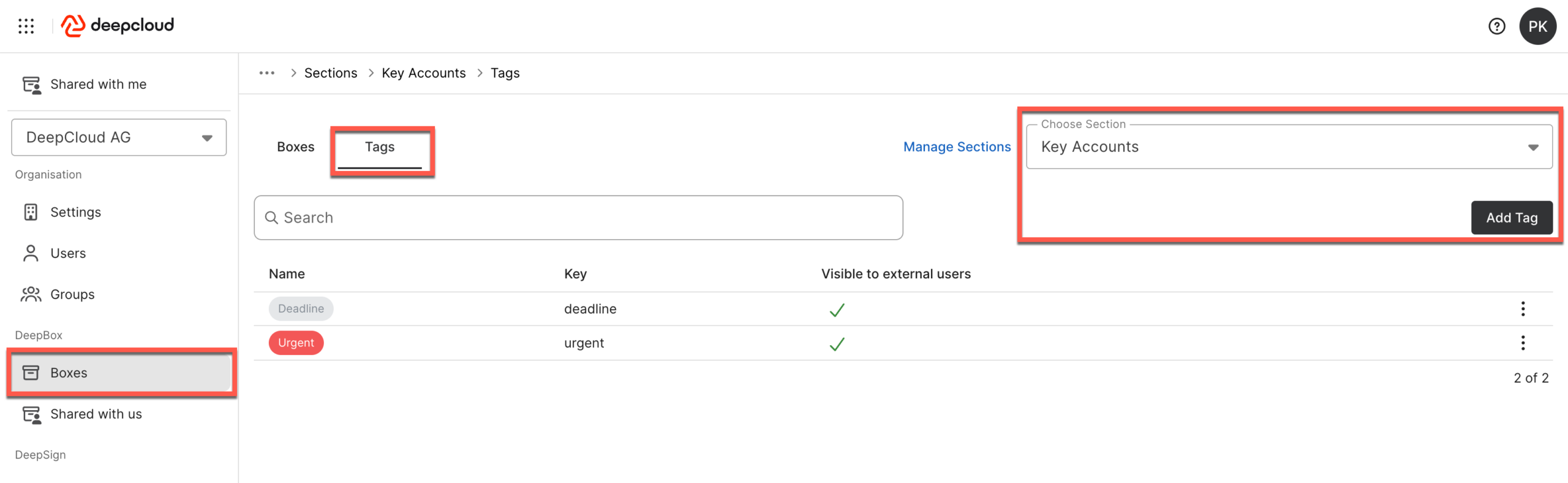
A new tag can be created via the “Add tag” button. In the dialog, you define the name, the technical key, the colour and the visibility for external users.
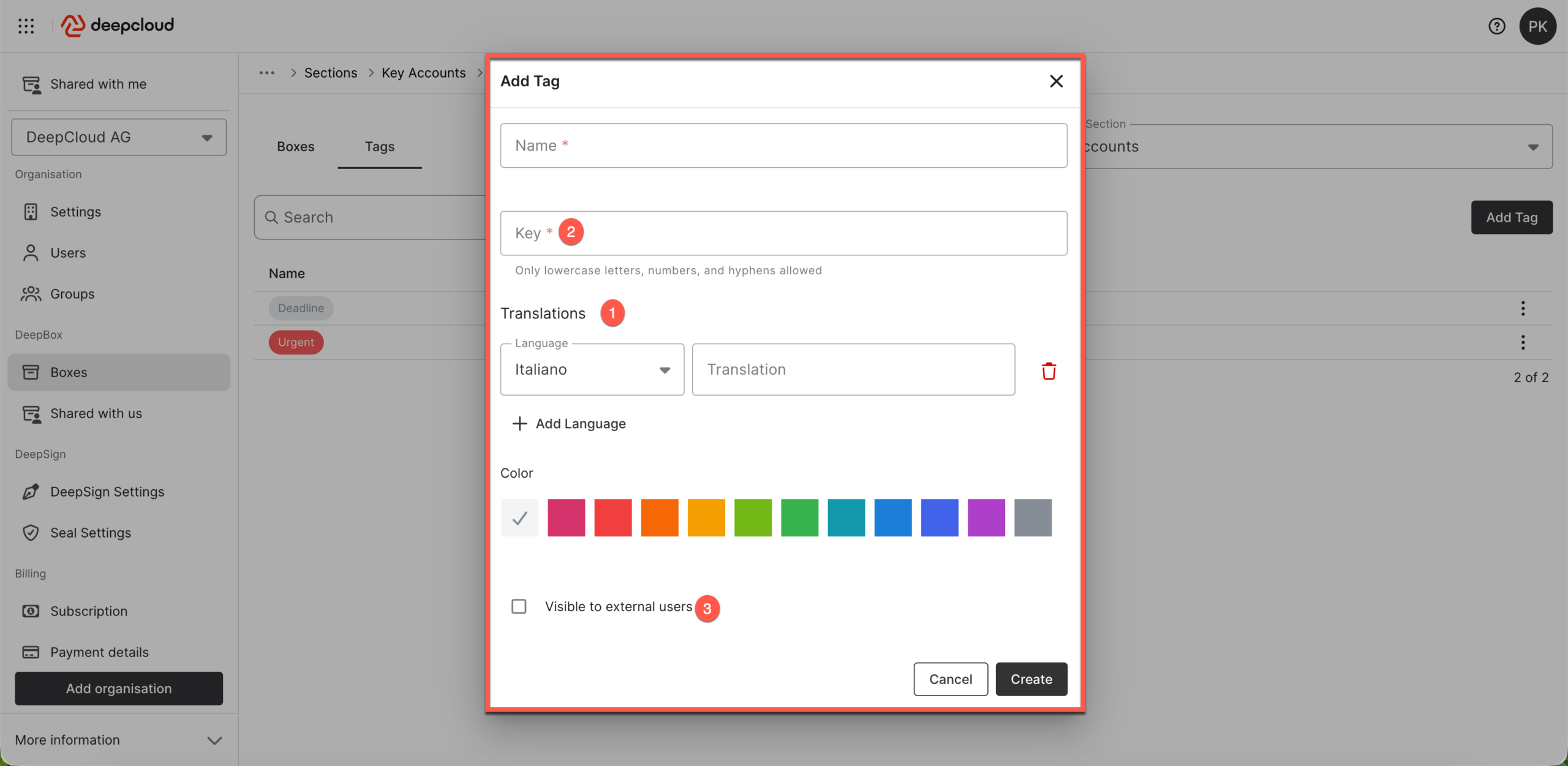
Tags are multilingual (1): for each required language, you can provide a separate label so that users see the tags in the language of their interface. The key (2) serves as a technical identifier for connected systems and automations (for example DeepO/flows); changing it afterwards can break existing rules or integrations.
The “Visible to external users” checkbox (3) controls whether a tag is visible to external users who have access to a box or its documents via a share. If the option is disabled, the tag is only visible to internal users of the organisation.
Did this answer your question?
Related articles
How do you work with tags?
What are tags? Tags are keywords or short terms used to categorize and organize content. They help to find information faster and to group thematically similar content. Using tags ...
How do I search for files?
Using the DeepBox search is the fastest way to find documents and their content. When entering keywords, all results including the storage location are listed directly below the ...
How do I find my files again?
Each box includes a search function that scans all documents based on file names, tags, metadata, and even directly recognized text. The purpose of this search feature is to move ...