DeepSign integration for Google Workplace
Automatically translated
With DeepSign, you can create digital signatures directly from Docs, Sheets, Presentations, Gmail or Drive – and automatically store signed documents in Google Drive. Efficient, secure and seamlessly integrated into Google Workspace.
Who can install?
- User installation: DeepSign can be added from the Marketplace itself, provided the admin has not restricted this.
- Admin installation: An admin can activate DeepSign for the entire domain or selected groups. Further information
Utilization
- Installation from Google Workspace Marketplace
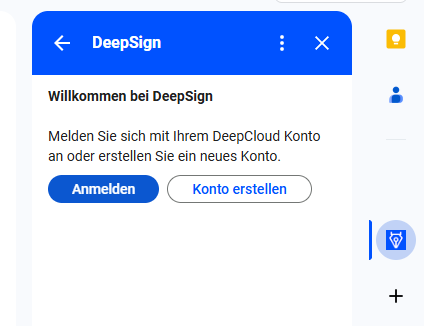
- After installation, the DeepSign icon is available in the right side menu and a one-time registration with the DeepSign account is required.
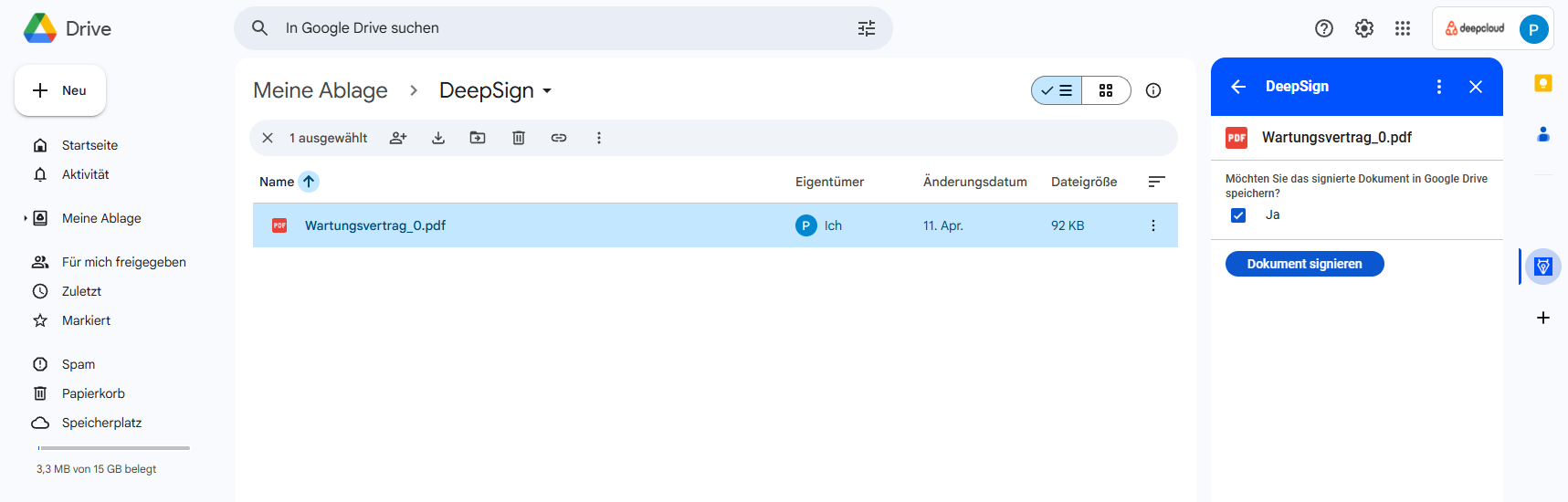
- Select mail attachments or Google documents via the DeepSign app.
- Activate flag for automatic storage after successful signature in Drive as desired.
- You will be redirected to DeepSign. During the first redirection, the login to the Google account is requested again in order to grant authorization.
- The application is completed in DeepSign and can be sent.
- The status of the document can be queried in Google:
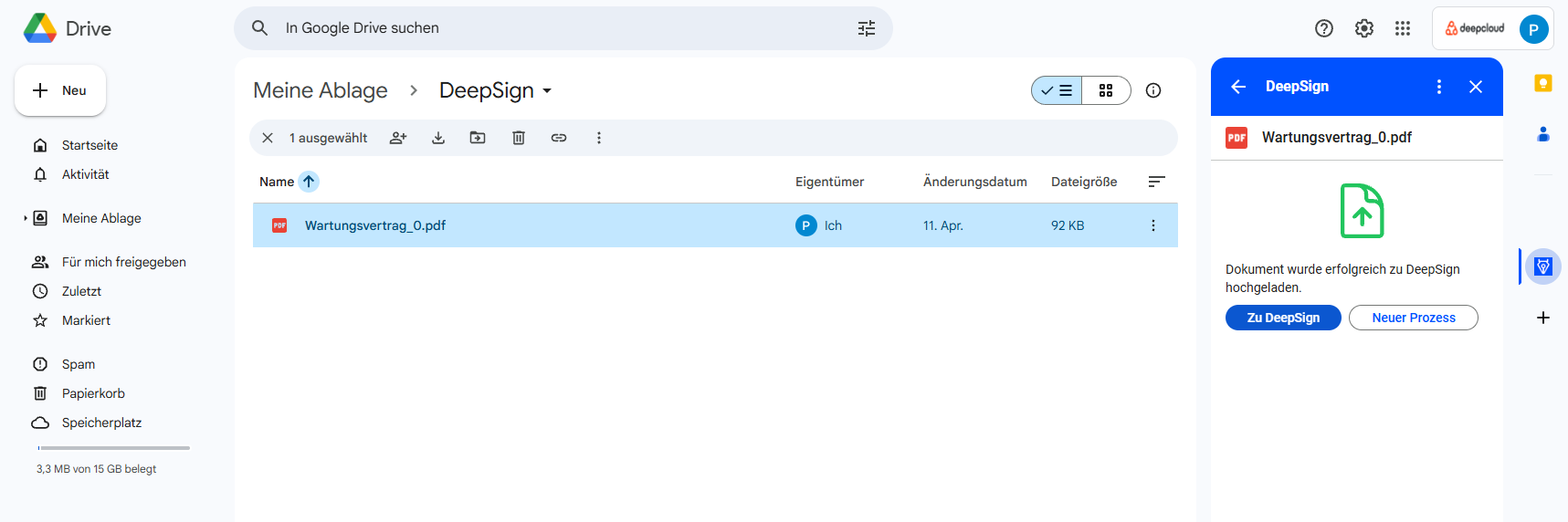
- After successful signature, the document can be downloaded.
If the flag from step 4 was set, the signed document with the name extension “_signed” is stored in the same location as the original document in Drive. If the request was started via Gmail, Sheets, Docs or Presentations, the document is added to the newly created “DeepSign” folder.
Gmail
Once an e-mail attachment has been successfully signed, it can also be added as an attachment in a new e-mail in addition to being downloaded.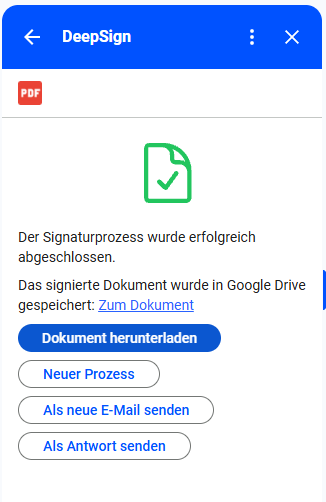
Did this answer your question?
Related articles
DeepSign integration for Outlook
With DeepSign for Outlook, you can seamlessly sign documents or request signatures for email attachments, all without leaving your Outlook inbox. It’s conveniently accessible ...

DeepSign integration for Sharepoint
DeepSign for SharePoint Online enables organizations to securely send important documents from SharePoint Online or OneDrive for signature. Users do not even need to have their own...
DeepSign integration for Word and Excel
The add-in allows you to securely send, sign or seal important documents directly from Word It’s a convenient way for individuals and organizations to add signatures to ...