Functionality – Processing documents via DeepBox
Automatically translated
Manufacturing process
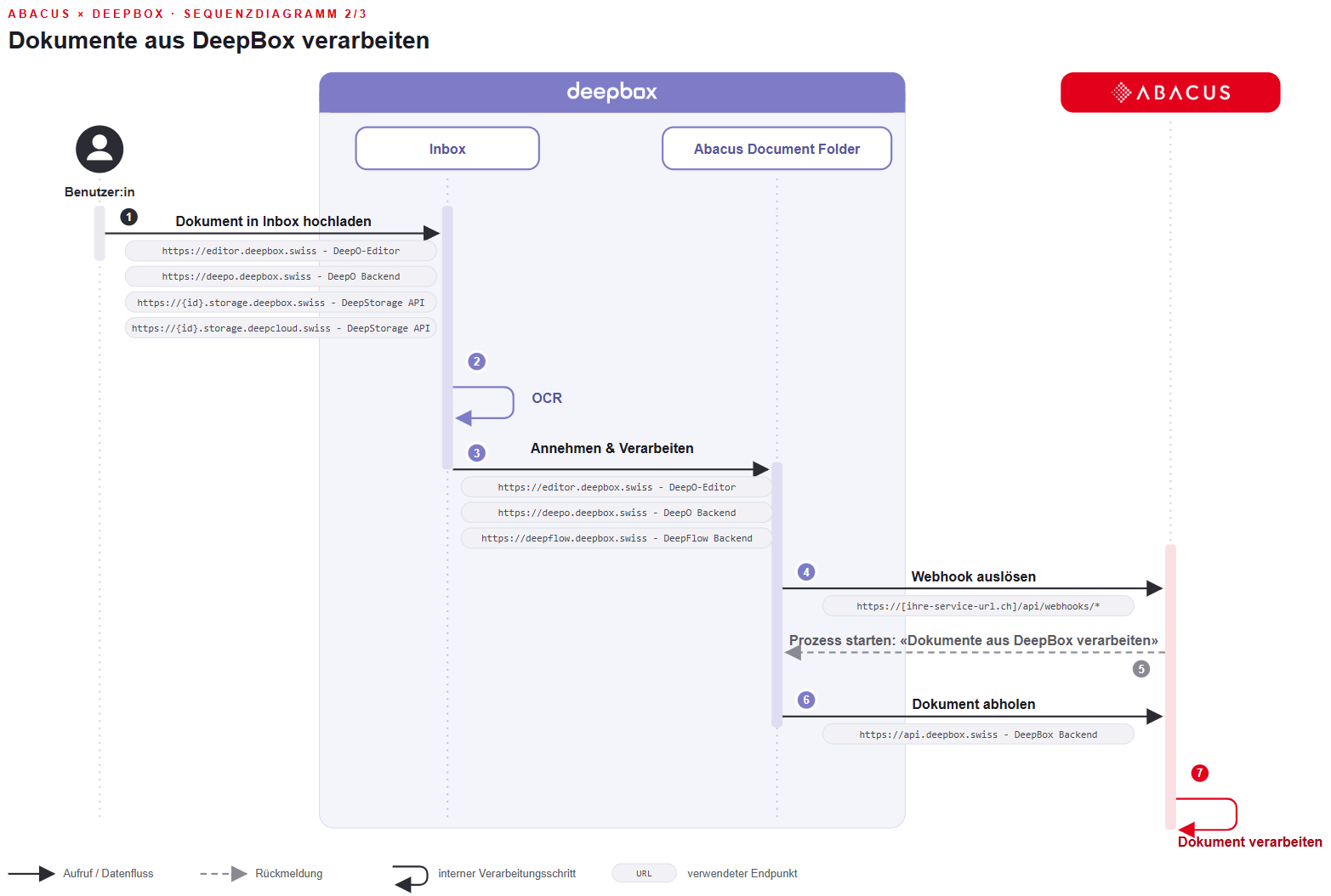
- Document in the DeepBox inbox is analyzed
- Nach ‘Annehmen & Verarbeiten’ wird das Dokument in den vordefinierten Ordner ‘Abacus Document Folder’ verschoben
- Please do not delete this folder!
- A webhook is registered on the ‘Abacus Document Folder’ if the box was created from Abacus (Q908)
- the webhook triggers and reports to Abacus that the BPE process stored in the Q908 can be started. Normally this is the delivered template process. (see Q908 – Trigger – ‘Process documents from Deepbox’)
- process is executed by the stored BPE start user (see KB-9397). The information recognized in DeepO is transferred to the BPE process so that the data can be processed in Abacus.
- The stored template process can be executed without DataAutomation. In ‘Q908 DeepCloud Administration’, input variables can be added to the ‘Trigger’ so that minor adjustments to the template process are also possible without DataAutomation. If you want to store an individual process, DataAutomation must be available on the corresponding client.
Attention: The webhook can be blocked by the security settings of the Abacus server. This means that the BPE process stored in the Q908 is not started. Further information is described in the following FAQ article: Technical requirements.
Did this answer your question?
Related articles
Document processing in accounts receivable, accounts payable and financial accounting
With DeepBox, documents (accounts receivable and accounts payable) can be posted efficiently and automatically. By connecting DeepBox to the Abacus system, repetitive work can be ...
Technical requirements
Incoming connection Webhook accessibility SSL certificate Externally presented certificates (public certificates) must be valid and contain all intermediate certificates. ...
Functionality - Activate connection
Process

