How can I favor a box?

Automatically translated
There are two ways to add a box to your favorites:
- On the dashboard, you can open a menu with additional functions via the three dots on the corresponding box and add it to your favorites using the star icon.

- When you are inside a box, you can move your cursor over the corresponding box in the navigation element in the header and click the star to add it to your favorites.
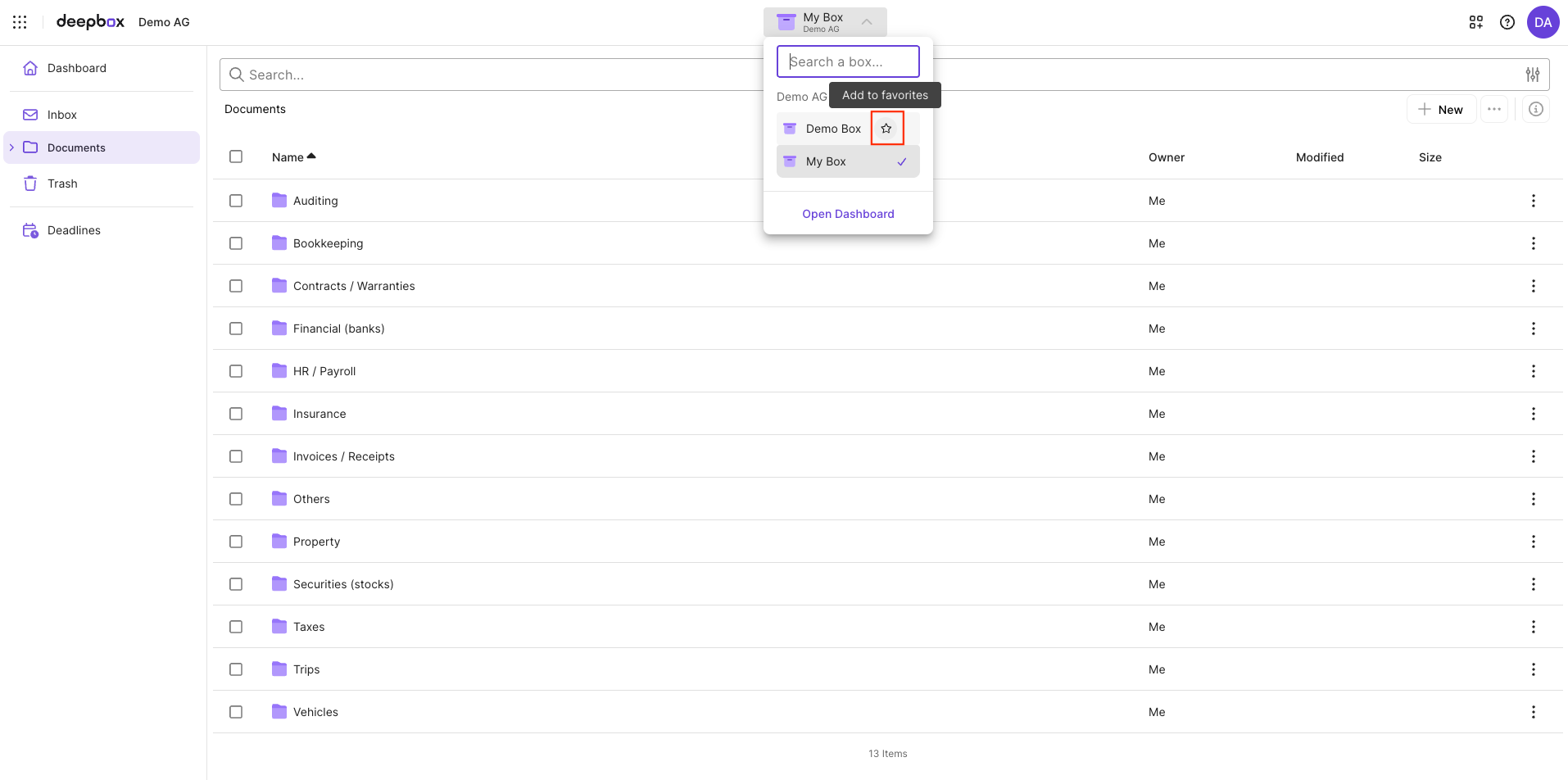
The favorited boxes are displayed both on the dashboard and in the navigation element in the header, provided you are inside a box.
Did this answer your question?
Related articles
How do I find my files again?
Each box includes a search function that scans all documents based on file names, tags, metadata, and even directly recognized text. The purpose of this search feature is to move ...

Where do I save my files?
Files are stored in different boxes. Files that do not require analysis, such as videos or photos, can be uploaded directly into a folder—either in the Simple Box or the Advanced...
Where can I see my last used box?
The most recently used boxes can be viewed in two places in DeepBox. However, at least seven boxes must be available for them to be displayed.