Analysis failed
Automatically translated
This article explains what to do if a document in the DeepBox inbox is marked with an analysis error and cannot be opened in the DeepO Editor.
Cause
There can be various reasons why a document could not be analyzed. Often, the cause is incorrectly configured training, such as suggestions or keywords. In the case of DeepO training, an incorrect expression formula is frequently stored, causing the analysis to fail.

Procedure
| Exam Question | Yes | No |
| Does the analysis error occur in only one box? | This is likely caused by a box-specific configuration. Move on to the next question. | The problem is likely caused by the document itself. In that case, check the PDF using a PDF viewer (such as Adobe Acrobat Reader). |
| Does the error occur with only one supplier? | This is likely due to vendor-specific training. Check the training settings in the definitions for each address. | This is likely caused by a global training session. Check the training sessions in the global settings. |
Review DeepO Training Sessions
- Open the DeepO settings for the affected box and check the recorded training sessions in the definitions for each address or in the global settings.
- If multiple training sessions have been recorded, you don’t need to review all of them in detail when viewing the DeepO suggestions; instead, you can deactivate them one by one.
- After making any changes, upload the document to the inbox again. A document that has already been analyzed will not be analyzed again automatically.
- Check to see if the analysis error still occurs. Repeat steps 2 through 4 until the error no longer occurs. This will help you quickly pinpoint the problematic training session.
- After reviewing the suggestions, re-enable the ones that were disabled so that they can be applied.
Note: Deactivated training sessions will no longer be applied to any new documents received in this box.
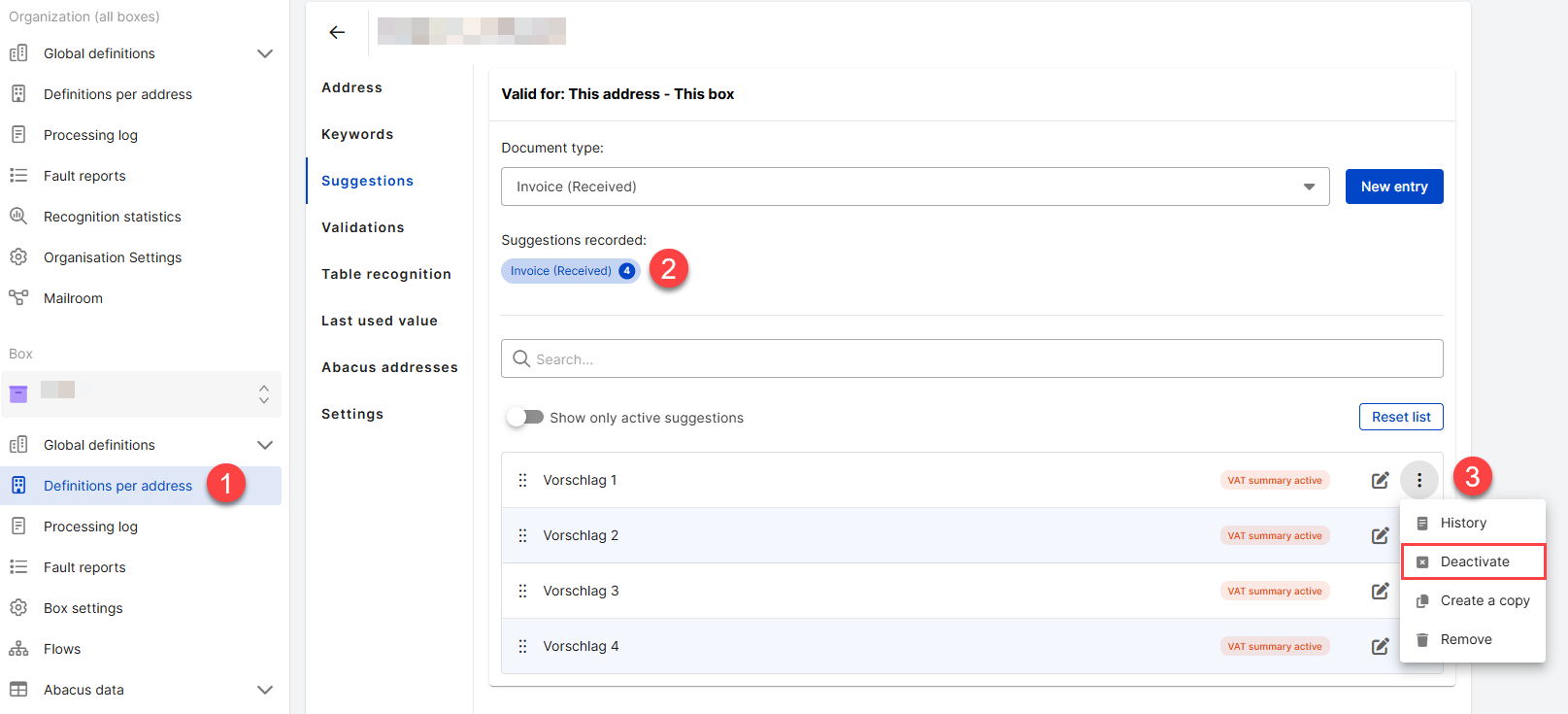
If the cause cannot be identified, please feel free to contact your Abacus sales partner.
Did this answer your question?
Related articles
Train DeepO
All fields in the DeepBox can be filled manually. The “Train DeepO” function can be used to automate the filling of the fields. Activation To be able to use the ...
DeepO analysis workflow: from inbox to processing
This article shows the DeepO analysis workflow. The process describes how a document goes from upload to the inbox to processing. Standard workflow – out of the box The ...
DeepO recognition behavior
Address recognition There are some factors for the recognition of addresses that are weighted higher for DeepO.For example, data from a QR code or ZUGFeRD is given preferential ...

