Enter the FIBU date in the DeepBox
Automatically translated
The FIBU date can be specified in DeepBox. This can either be automatically derived from the delivery date or delivery period via a setting in Abacus, or it can be mapped using a user field.
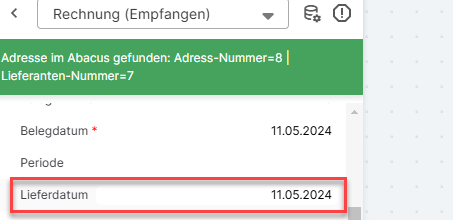
Automatic transfer of the delivery date/delivery period as the financial accounting date
The accounting date can be automatically derived from the delivery date or delivery period. To do this, you must enable the setting “Suggest accounting date based on delivery date/delivery period during automatic processing” in Abacus for the desired document type.
This setting can be configured in the following Abacus programs:
- D431 Define document types (accounts receivable accounting)
- K431 Define document types (accounts payable)
If this setting is enabled, the following priority order applies when determining the general ledger date:
- If a period (from/to) is entered on the DeepO document, the “Period to” date is used as the financial accounting date—regardless of whether a delivery date is also specified.
- If no period is entered but a delivery date is available, the delivery date is used as the financial accounting date.
- If neither the period nor the delivery date has been entered, or if the setting is inactive, the general ledger date is determined based on the default suggestion stored in K431 (D431) (e.g., Suggestion 1: document date, suggestion 2: end of month based on document date, or suggestion 3: document date + X days).
Note: The “Suggest Last Entry” option in K431/D431 is not supported by DeepBox/AbaScan Pro processing. In this case, “Suggest Document Date” is used instead.
FIBU date via a user field
The second way to transfer the FIBU date is via a user field mapping. The desired FIBU date is stored in a defined user field and processed accordingly.
Further information on the setup can be found in the linked article “Userfields”.
Did this answer your question?
Related articles
Userfields
Up to five user fields can be displayed in the DeepO Editor under Miscellaneous and Position fields, which can be mapped with defined Abacus fields. Fade-in / renaming If the five ...
Document processing in accounts receivable, accounts payable and financial accounting
With DeepBox, documents (accounts receivable and accounts payable) can be posted efficiently and automatically. By connecting DeepBox to the Abacus system, repetitive work can be ...
DeepO recognition behavior
Address recognition There are some factors for the recognition of addresses that are weighted higher for DeepO.For example, data from a QR code or ZUGFeRD is given preferential ...