keywords train
Automatically translated
With the “keywords” function, specific information from documents can be recognized and assigned to the fields in the DeepO Editor.
Activation
To use the “keywords” function, “Train DeepO” must be activated in the DeepO settings. Further information can be found in the linked article “Train DeepO”.
Application
Each field with a blue cogwheel in the DeepO Editor can be trained with a keyword.
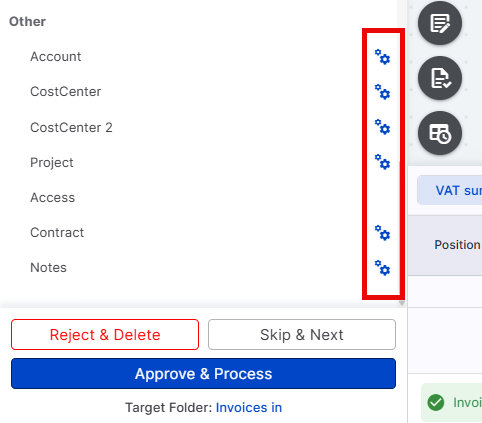
Exact match
keywords must match the content in the document exactly, including special characters. Partial terms or similar formulations are not recognized. If necessary, several keywords can be defined.
Example
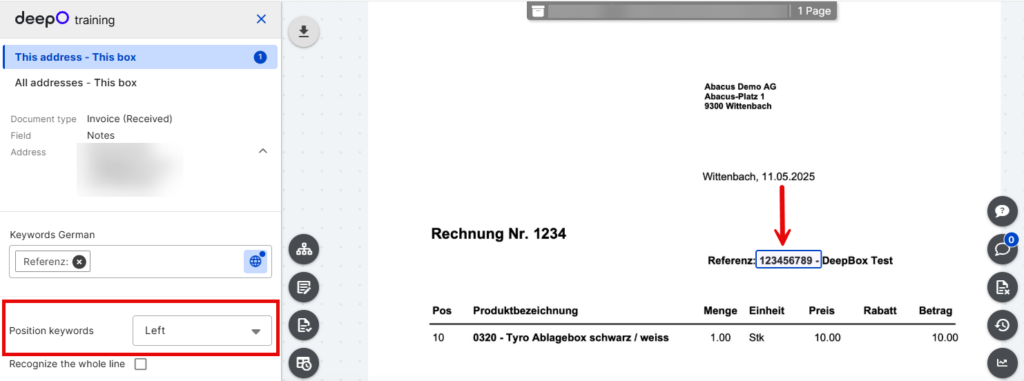
Keywords = reference:
| Reference: | Keywords are recognized |
| WebReference: | Keywords are not recognized |
| Reference number: | Keywords are not recognized |
Position of the keywords
The position of the keywords in the document is decisive. DeepO searches for the defined keywords at the specified position (e.g. left, top).
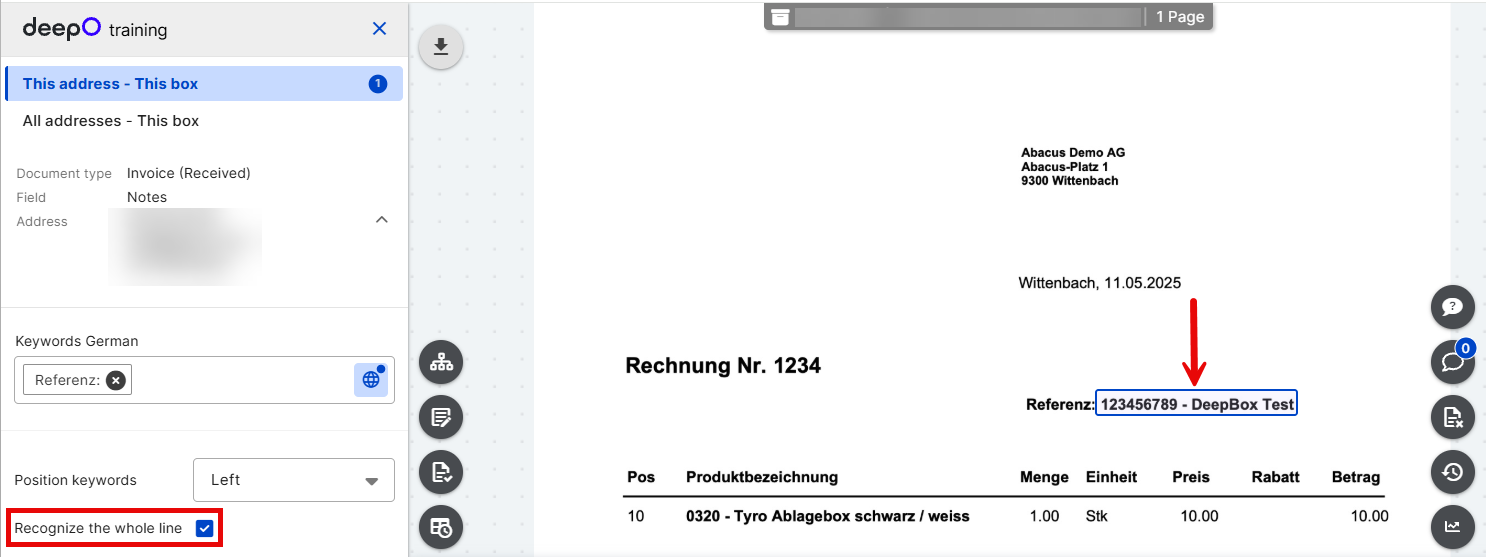
Recognize entire line
If “Recognize the whole line” is checked, the entire line is recognized. The values can be shortened using the expression editor.
Did this answer your question?
Related articles
Train DeepO
All fields in the DeepBox can be filled manually. The “Train DeepO” function can be used to automate the filling of the fields. Activation To be able to use the ...
Train DeepO - Project recognition
The “Project recognition” function searches for the project number during the initial analysis. Activation Automatic project recognition must be activated manually in ...
Update suggestions
With “Suggestions”, different field values can be set in the document based on recognition characteristics – both at header and item level.For example, an invoice...