How do I find files using search?
Automatically translated
Use the search function in DeepBox to find files by keywords and document content. You can narrow down the results with filters and refine your search using specific search queries. The search covers file names, tags, metadata and recognised text within documents.
Search for files
- Open the box in which you want to search for a file.
- Enter one or more terms in the search field.
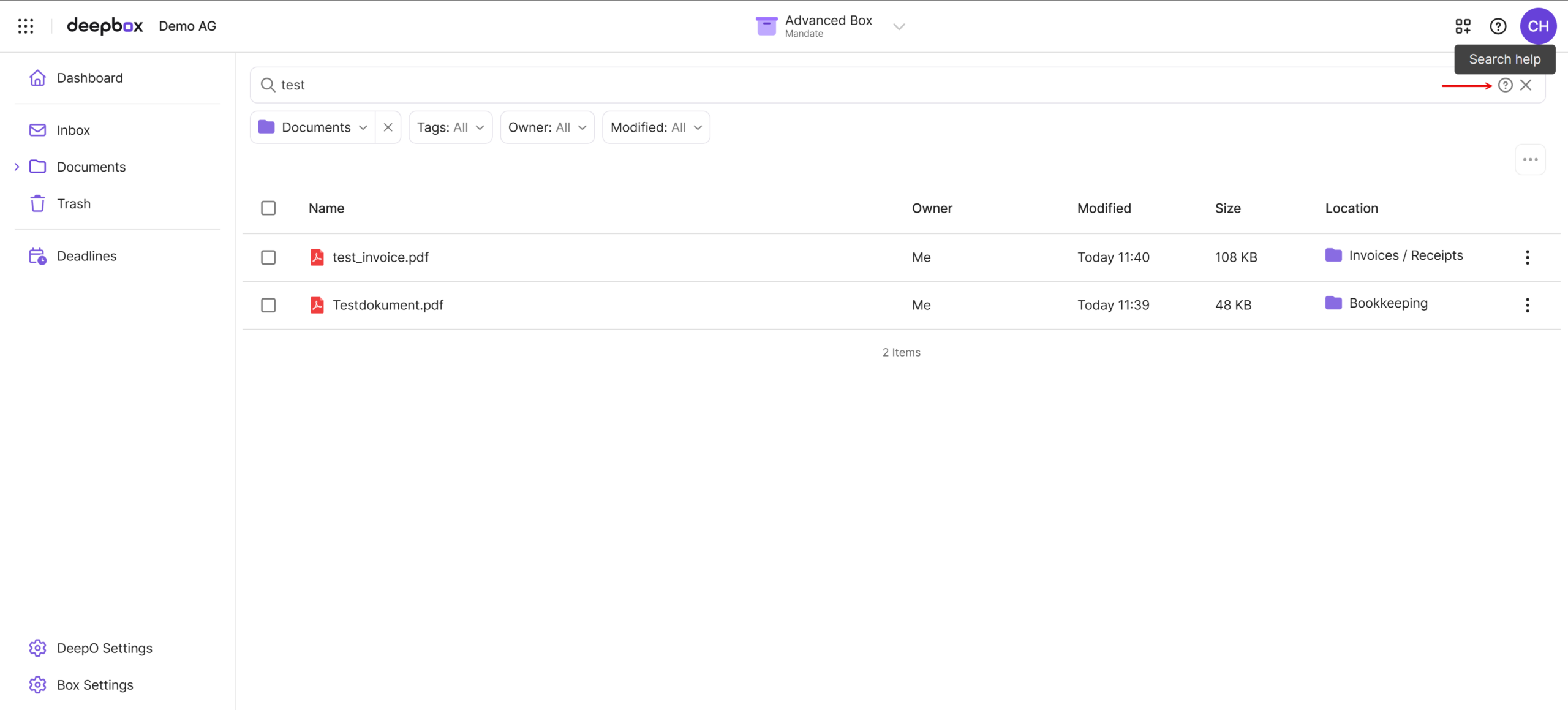
- If needed, narrow down your search using the filters below the search field.
The view shown includes filters for the search scope, tags, owner and modification date. Use these filters to narrow down the results.
Open the search help
Click the question mark on the right-hand side of the search field to open the search help (“Suchhilfe” in the screenshot). It provides examples of simple search queries and explains how to combine multiple search conditions.
Combine search terms
A single term is enough for a simple search. Entering multiple terms broadens the search: files containing all the terms are ranked higher. Use quotation marks to search for an exact phrase.
| Search query | Meaning |
|---|---|
report | Finds files containing the term “report”. |
report budget | Finds files containing “report” or “budget”. Matches containing both terms appear first. |
"Annual report 2024" | Searches for the exact phrase “Annual report 2024”. |
contract "Annual report 2024" | Finds files containing “contract” or the exact phrase “Annual report 2024”. |
Require or exclude terms
Add + before a term to make it mandatory. Add - before a term to exclude it. Place the symbol directly before the relevant search term.
| Search query | Meaning |
|---|---|
+report budget | “report” must be present; “budget” is optional. |
report -draft | Searches for “report” and excludes files containing “draft”. |
+report +budget | Both terms must be present. |
"Annual report 2024" -draft | Searches for the exact phrase “Annual report 2024” and excludes files containing “draft”. |
Combine additional search conditions
For more complex queries, you can use the operators AND, OR and NOT. Write these operators in uppercase. Use parentheses to group related conditions.
| Search query | Meaning |
|---|---|
report AND budget | Both terms must be present. |
invoice OR receipt | At least one of the two terms must be present. |
report NOT draft | Searches for “report” and excludes files containing “draft”. |
(invoice OR receipt) AND 2024 | Either “invoice” or “receipt” must be present, along with “2024”. |
report AND ("Q3 2024" OR "Q4 2024") | “report” and at least one of the exact phrases “Q3 2024” or “Q4 2024” must be present. |
No matching files found?
Check whether the search is restricted to a specific area. If no results are found in Documents (“Dokumente” in the screenshot), select Search everywhere (“Überall suchen”) to broaden the search scope. Also check the active filters and adjust them if necessary.
Did this answer your question?
Related articles
How do you work with tags?
What are tags? Tags are keywords or short terms used to categorize and organize content. They help to find information faster and to group thematically similar content. Using tags ...
Where do I save my files?
Files are stored in different boxes. Files that do not require analysis, such as videos or photos, can be uploaded directly into a folder—either in the Simple Box or the Advanced...
What do the folders in the "My Box" mean?
The predefined folders are required for automatic organizing and archiving. Since DeepO recognizes the document type in order to save them in the right place with one click, it ...

