Allow attachments for signee
Automatically translated
Attachments for signers
This setting allows you to let the invited person upload additional documents as attachments before signing. These documents are merged with the document to be signed and then signed together.
Note: Do not confuse this feature with Send attachments. With that feature, the initiator adds further documents as attachments to the signing process.
Requirements
The feature can only be enabled if the signer meets one of the following conditions:
- They are the only person signing the document.
- The signing order is enabled, and the signer signs first and alone in the first group.
Configuring the setting
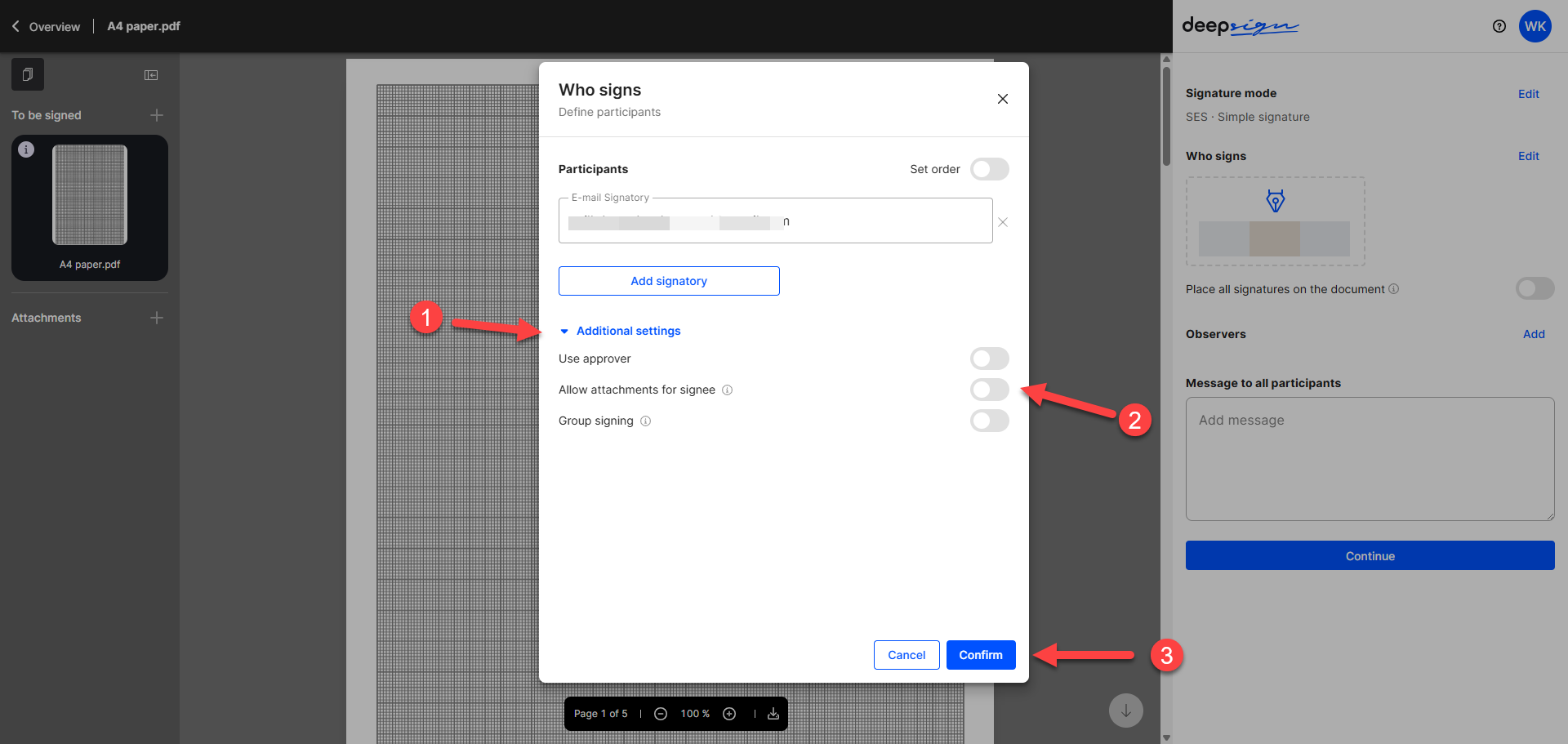
You configure the setting in the dialog for defining the participants:
- Click “Additional settings” to expand the section.
- Enable the setting “Allow attachments for signers”.
- Click “Confirm”.
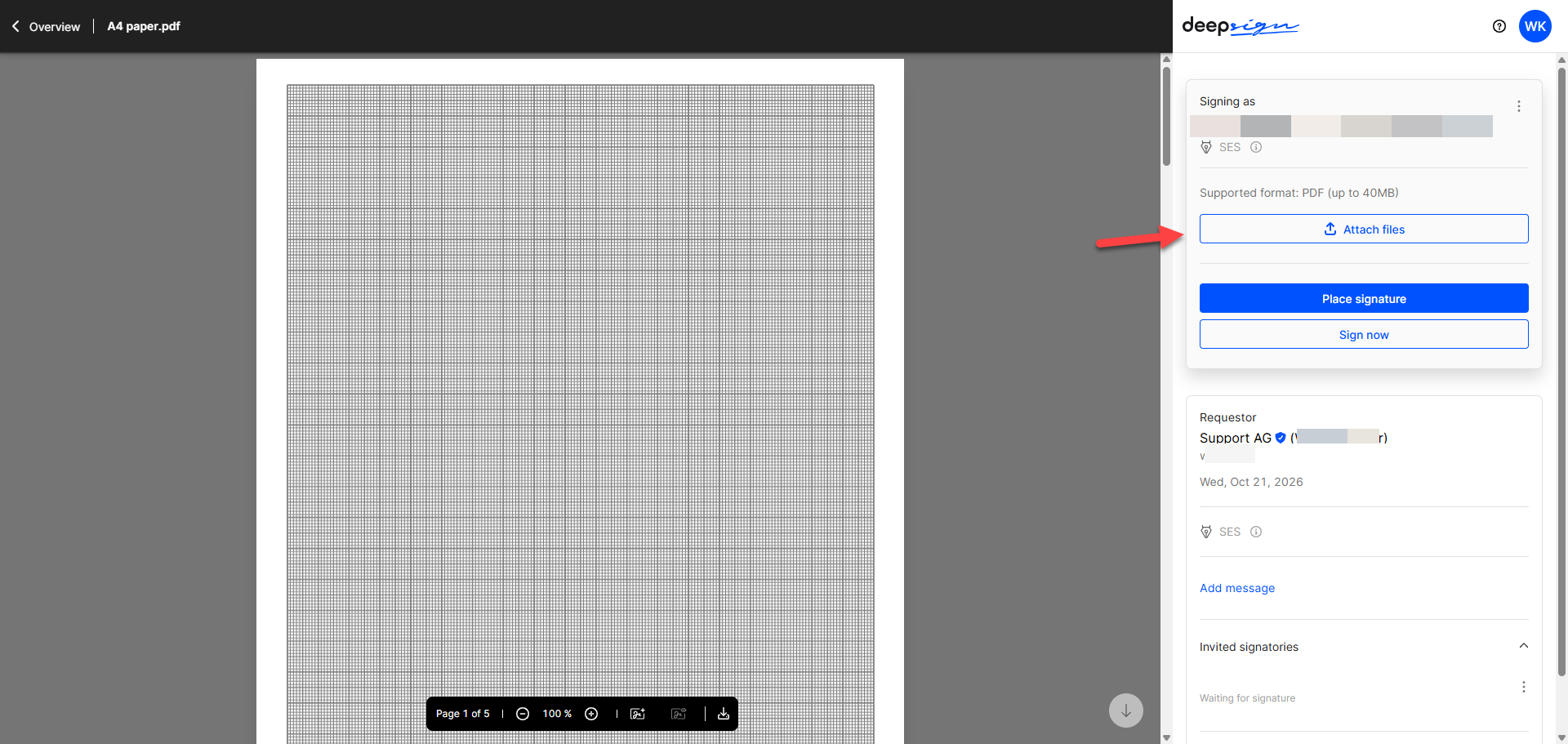
Adding attachments as a signer
The signer adds attachments using the “Attach files” button. Attachments must be added before signing.
Did this answer your question?
Related articles
Send attachments
Senders can conveniently send additional documents, such as brochures or legal conditions, as attachments in a signature process. This ensures that all important information is ...
Determine the order of signing
The order refers to the arrangement of the desired signatures. Before the signature process is started, the initiator has the option of adjusting this sequence. Once the document ...
Placeholder texts for automation
Placeholder texts make signing documents easier and more efficient. You can embed the placeholder code directly in your document. When you upload the document to DeepBox, these ...

