DeepSign Envelope Feature
Automatically translated
The Envelope feature allows you to send multiple documents to signers in a single process at the same time.
Example: Muster AG wants to send a new employee several documents for signature — for instance, an employment contract, a privacy statement, and a set of regulations. Instead of starting three separate processes, all documents can be bundled into one “envelope” and sent together.
How do I activate the Envelope feature?
When uploading multiple documents, you can use a toggle to choose whether they should be uploaded as one envelope or as individual processes:
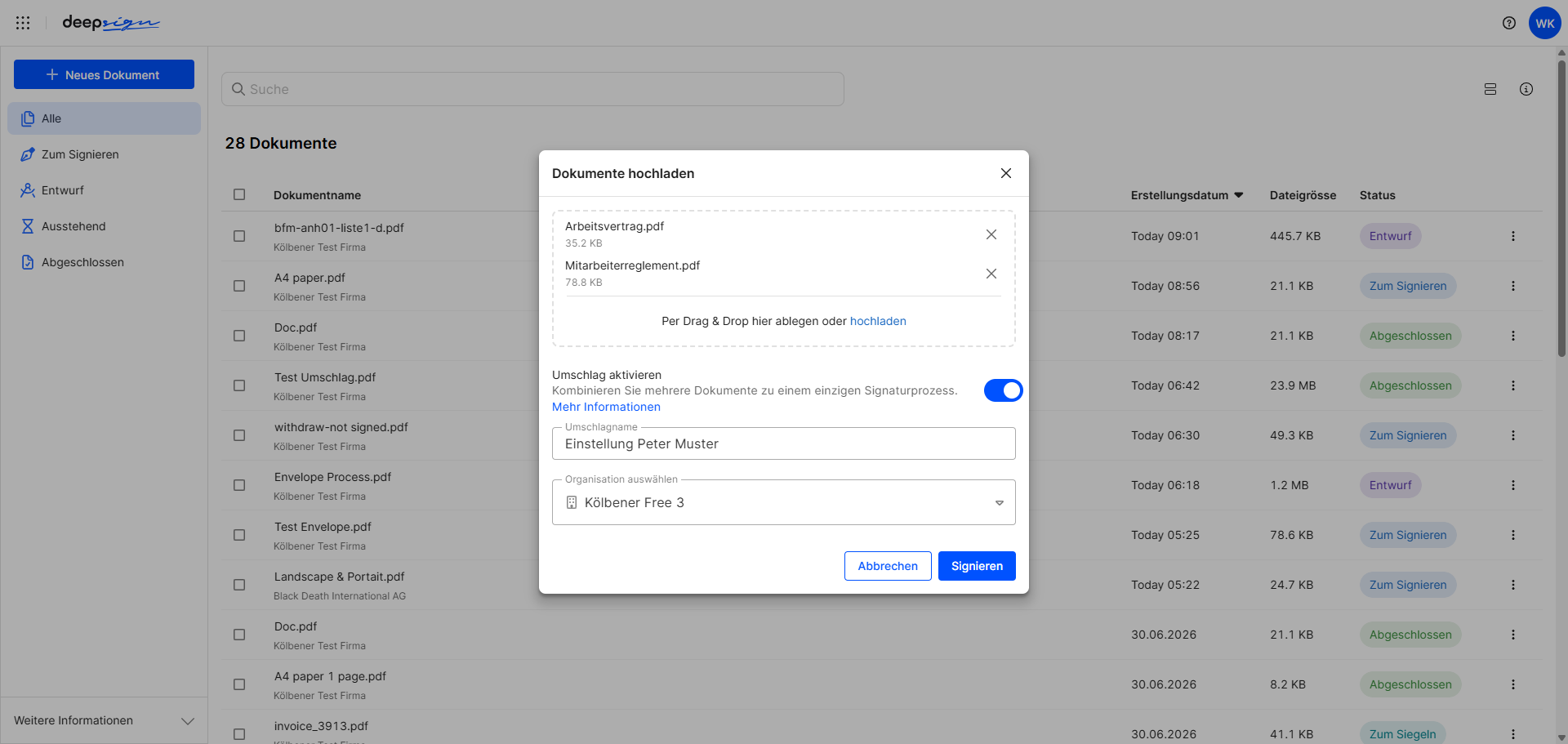
| Option | Behavior |
|---|---|
| Envelope enabled (toggle on) | All documents are uploaded in one process and can be viewed and signed by the signer as a whole. |
| Envelope disabled (toggle off) | The documents are uploaded individually and can be sent and signed independently of one another. |
Which option should I use?
- Envelope enabled: Ideal when one person needs to sign several related documents together — for example, an employment contract with attachments for a new employee.
- Envelope disabled: Ideal when the same document needs to be sent to multiple people independently — for example, a new employee handbook sent to three existing employees, each of whom must sign it separately.
Creating an envelope afterwards
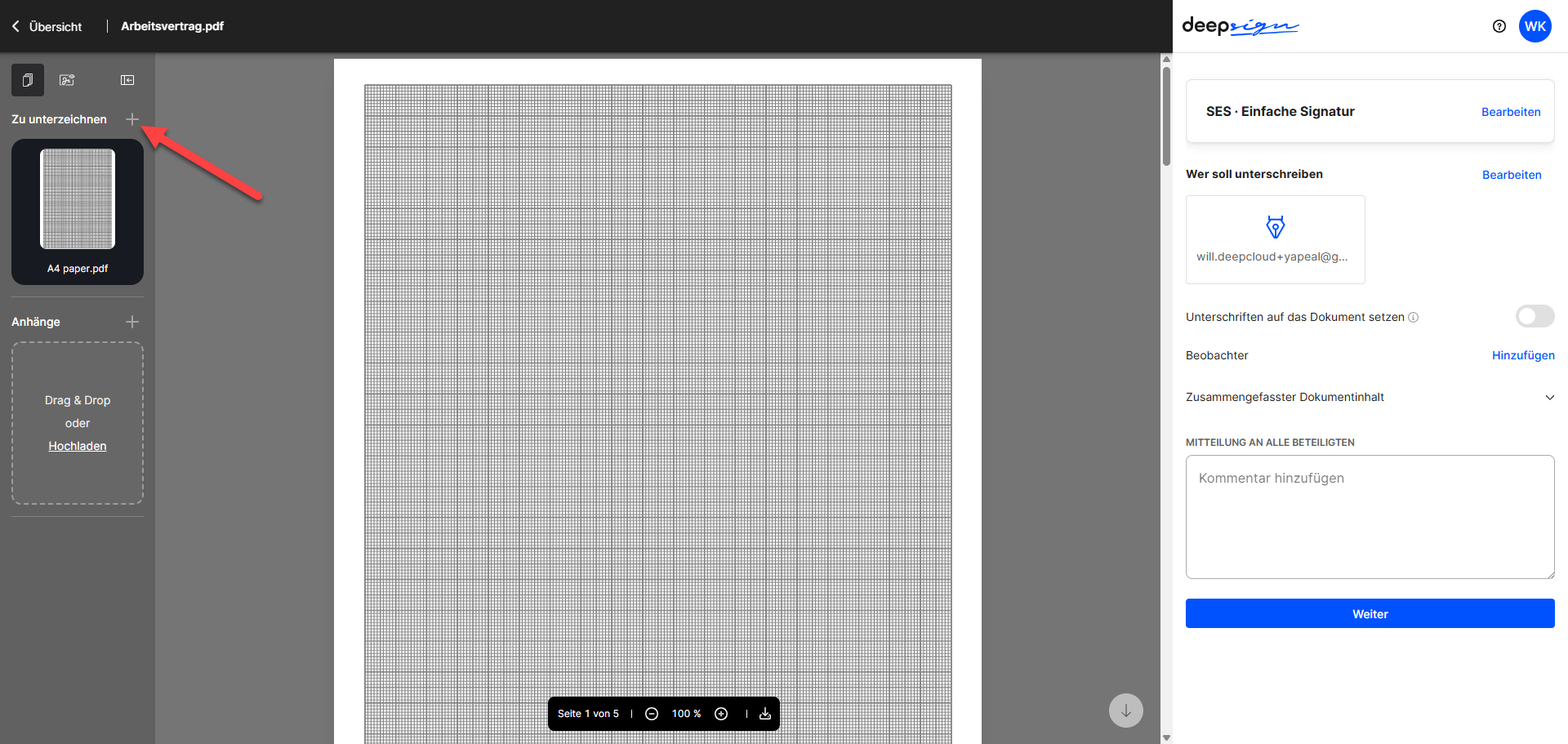
In draft mode, you can also flexibly add further documents to an existing process, turning a regular DeepSign process into an envelope process after the fact.
Did this answer your question?
Related articles
DeepSign Branding
From the “Medium” subscription onwards, you as the Owner can activate DeepSign Branding in your organisation data to individualise the DeepSign process. To do this, the...
Approver
With the new approver feature in DeepSign, you can define approval processes before the document is signed – ideal for scenarios where prior approval is required, such as ...
Set signature types and legal spaces in DeepSign
Learn how to customize the available security levels and legal spaces for your organisation in DeepSign and how to set the default security level and legal space for the signature ...

