Costs for DeepFlow and Mailroom
Automatically translated
The costs for Mailroom and DeepFlow always consist of the same two components: document analysis and the flow run. Each costs CHF 0.05.
DeepFlow Costs
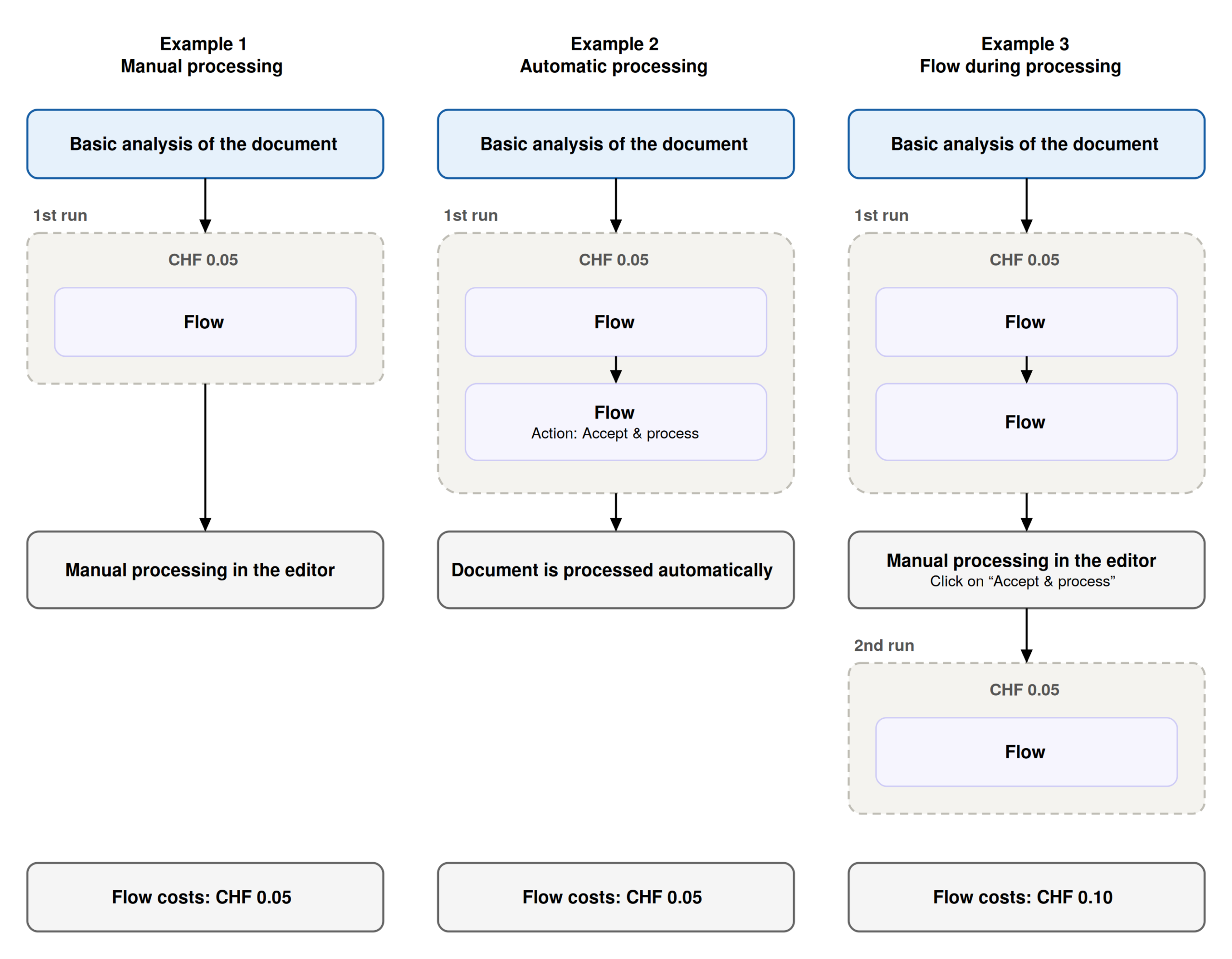
You are not charged for each individual flow; instead, each run is billed at CHF 0.05. It does not matter how many flows are executed or how many actions they contain.
A run is the moment when DeepBox checks all the flows configured for a document and executes the ones that apply.
- 1st run: all flows with “Apply to: Inbox (after analysis)” and “After suggestion calculation”.
- 2nd run: all flows with “Apply to: Accept & process” and “Reject & delete”.
Further details about the flows can be found in the article DeepFlow.
A run is billed only if a flow is actually executed during that run. If no flow is configured, or if a flow is not executed due to a condition, no charges apply.
Mailroom Costs
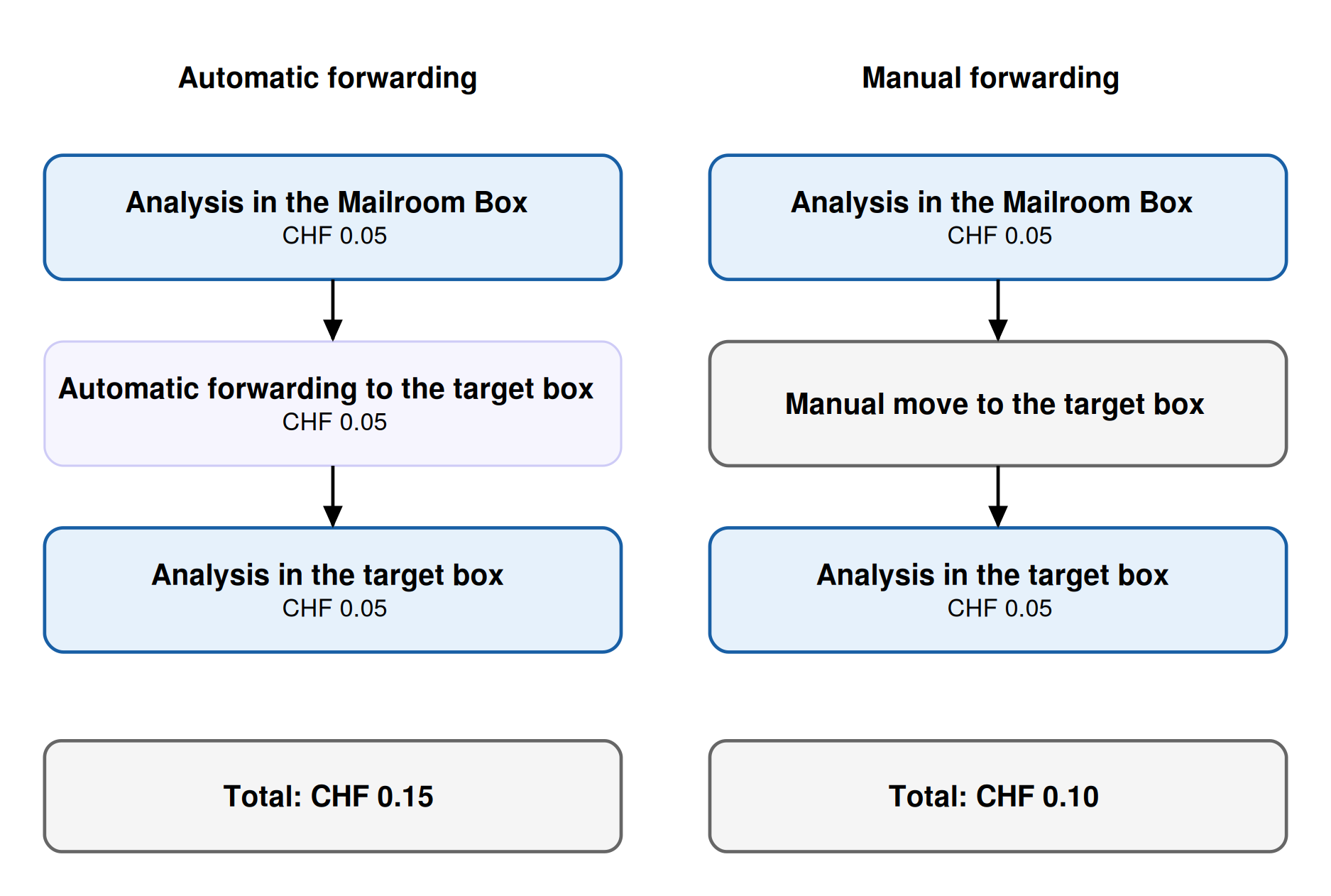
A document in the Mailroom always passes through two boxes and is therefore analyzed twice: once in the Mailroom Box and once in the target box. Each analysis costs CHF 0.05.
Automatic forwarding to the target box is handled via a flow, which also triggers a flow run. If the document is manually moved to the target box—for example, because the recipient address was not recognized—the flow run is skipped, and no flow costs are charged for the forwarding.
For more details about the Mailroom, see the article Mailroom.
Combined Costs for Mailroom and Flow
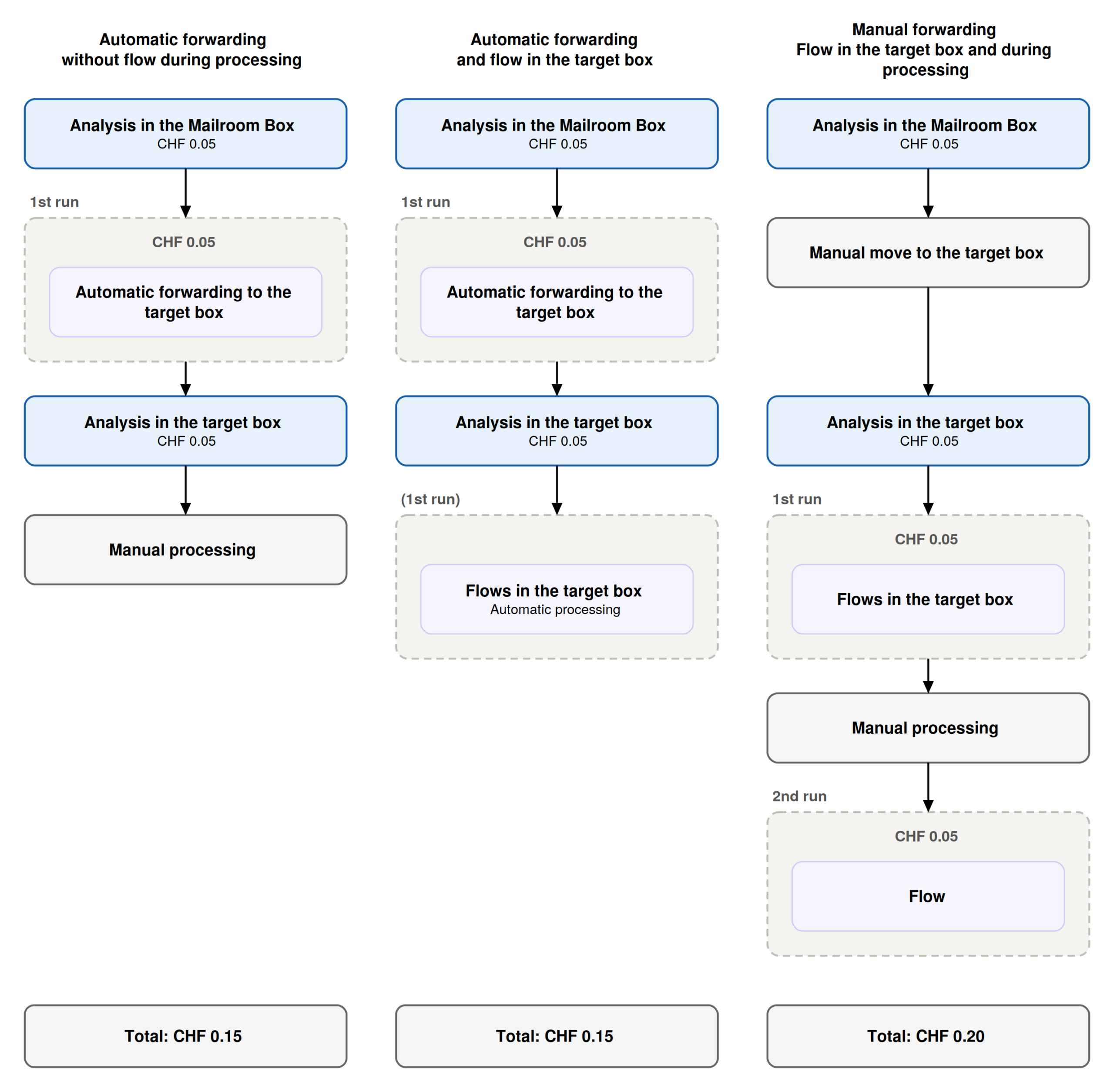
If additional custom flows are configured in the target box, it depends on whether a run has already taken place.
This is the case with automatic forwarding: The forwarding itself is a run, and the flows in the target box run as part of it and do not incur any additional costs. With manual forwarding, the first run takes place in the target box and is billed at CHF 0.05.
No Charges
The following actions do not incur any charges:
- Manually moving a document from the Mailroom box to the target box
- Flows that are not executed because a condition has not been met
- Automatic seperation of documents the DeepBox inbox using the separator stamp
- Automatic merging of Documents
- Creating a PDF from an XRechnung
Did this answer your question?
Related articles
Activation Mailroom & Flows
In order to use the Mailroom and DeepFlow functions, a service user with connection and access to the box must be created. 1. jump to the DeepO settingsTo do this, go to the DeepO ...
Mailroom
The Mailroom automatically routes incoming documents to the appropriate destination box based on forwarding rules. Assignment is based on the recipient address recognized on the ...
DeepFlow
DeepFlow can be used to define rules that can be applied to documents from the inbox. The function must be activated for DeepFlow to be used. Use with Für einen Flow muss ...