DeepSign Group Signing
Automatically translated
With Group Signing, you can define how many people must sign a document for it to be considered fully signed.
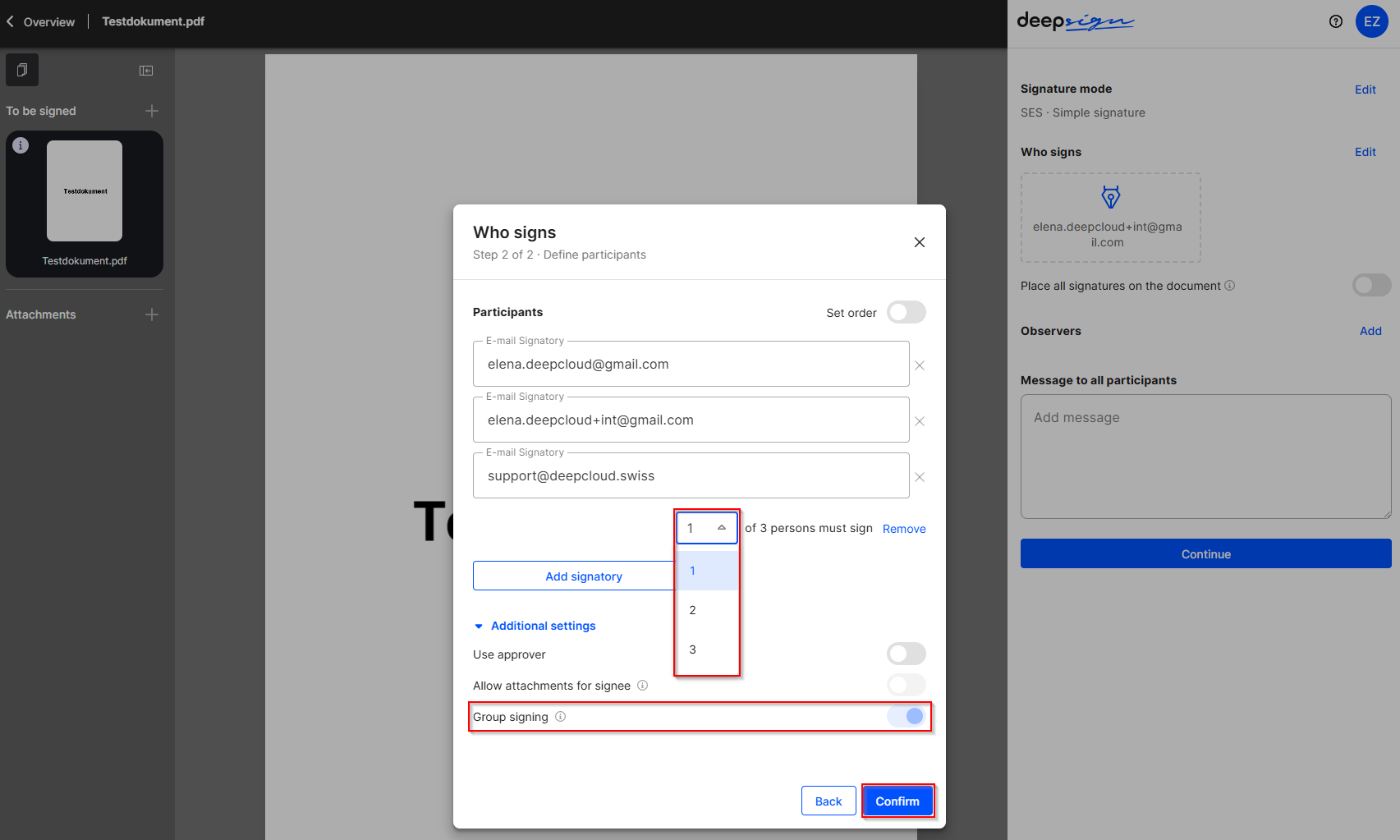
First, add the desired signatories. Then activate Group Signing. This displays an additional field where you can specify how many of the added signatories must sign the document.
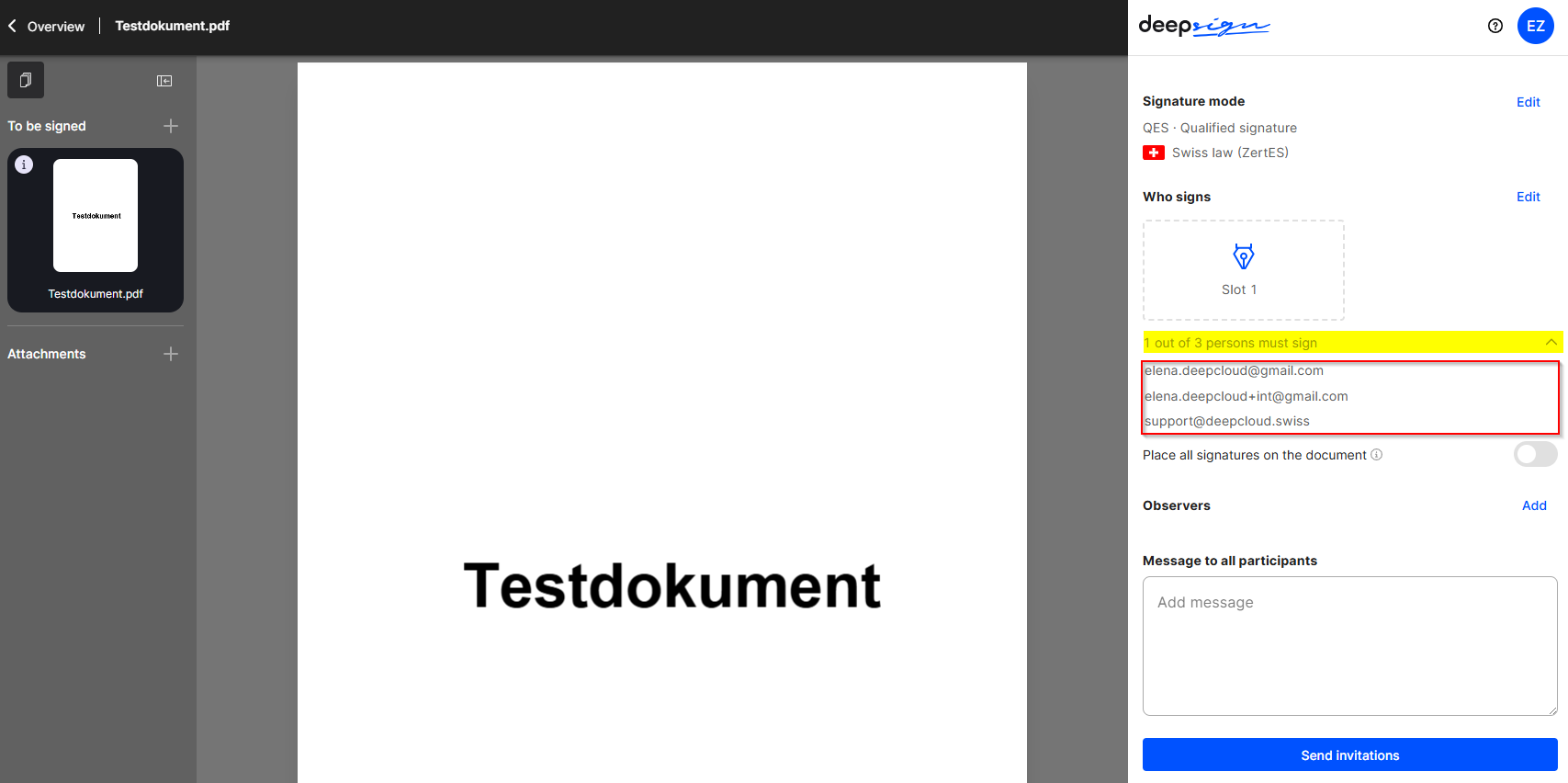
The Group Signing details are displayed in the overview. Once the document has been sent, all added signatories receive a link to the document.
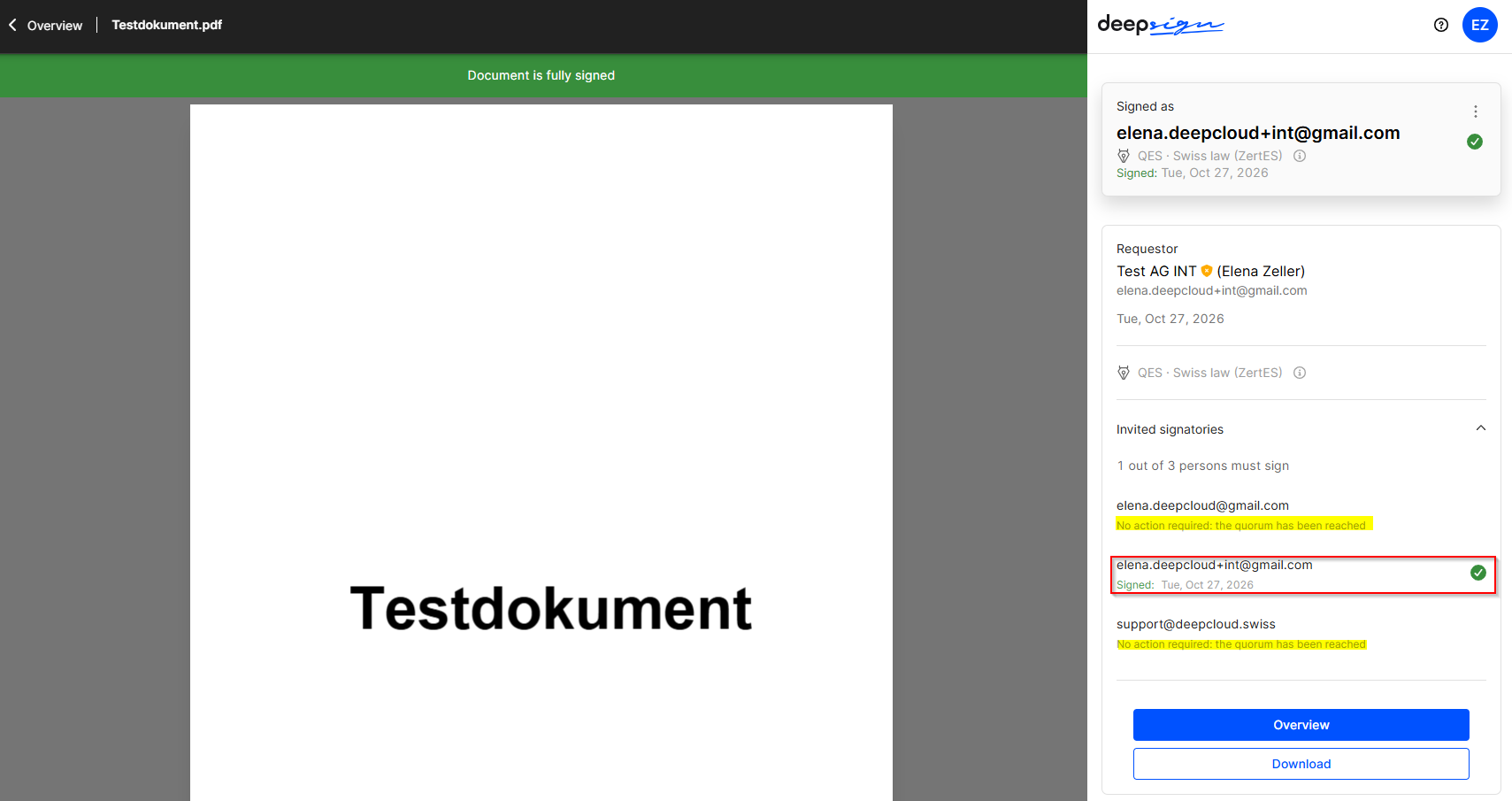
Once the specified number of signatures has been reached, the document is considered fully signed. No further signatures are required.
Did this answer your question?
Related articles
Signature process
Start signature process The signature process can be easily started in the DeepSign Cockpit by uploading a document (PDF, Word or Excel file) via drag & drop or via the upload ...
Approver
With the approver feature in DeepSign, you can define approval workflows before the document is signed. Ideal for scenarios where prior approval is required, such as when a ...
Multiple visual signature
It is possible to place a person’s visual signature multiple times on a document. The following steps must be followed: Important: Electronic signing does not necessarily ...
Determine the order of signing
The order refers to the arrangement of the desired signatures. Before the signature process is started, the initiator has the option of adjusting this sequence. Once the document ...

