Notification function
Automatically translated
INFO: This feature was callend “Observer function” in the past.
If several users work with the same boxes, it can happen that they are not informed about all uploads within the boxes. To prevent this from happening, the Notification function can be activated for each box (Simple Box as well as Advanced box) within the inbox or document storage at each folder level.
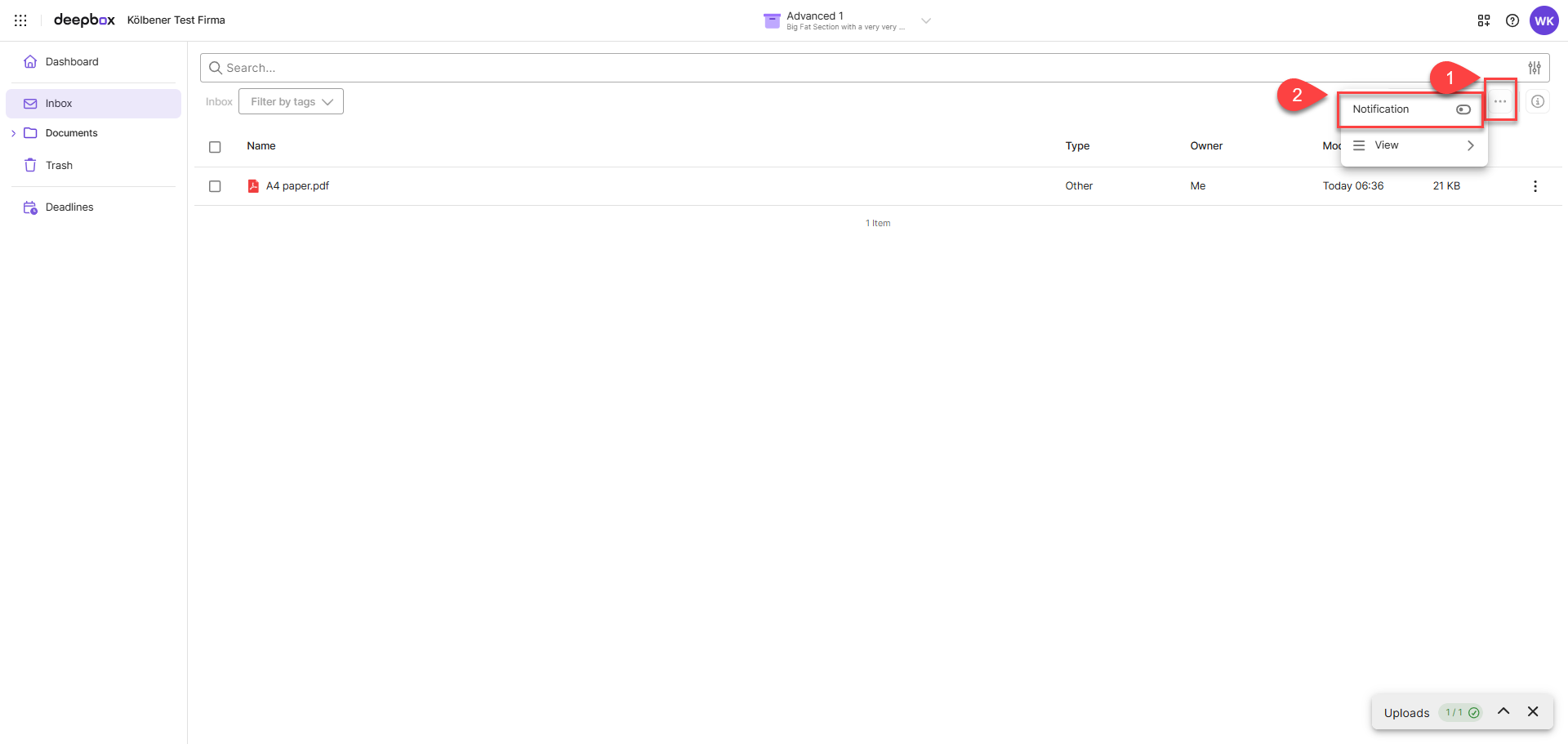
As soon as the feature is activated and a document has been uploaded, an e-mail notification is automatically sent to the user. The name of the box, storage location (folder) and file name can be read from the notification. The storage location can also be called up directly from the e-mail.
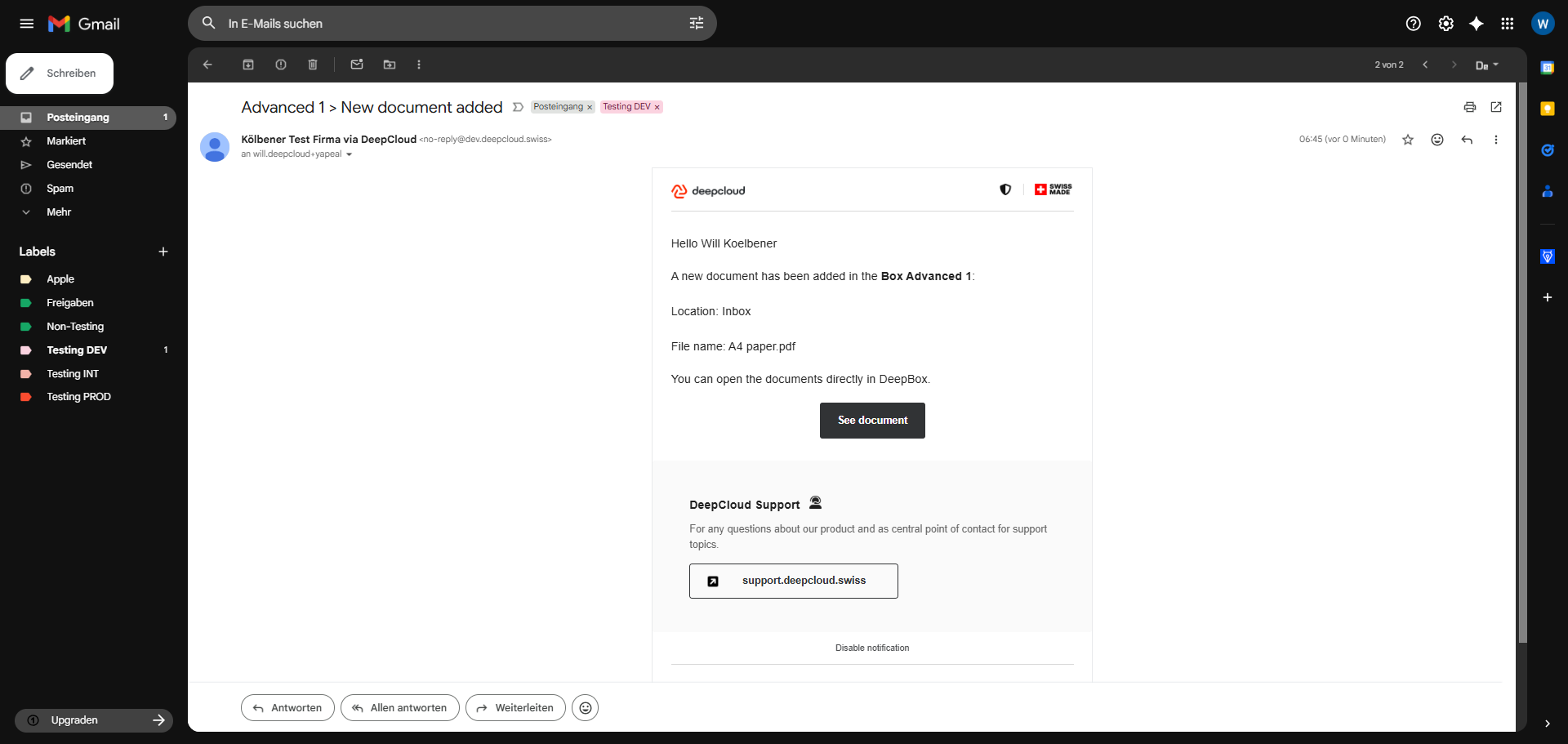
If multiple documents are uploaded in a short period of time (last upload less than 2 minutes ago), updates will be collected in a single email and not sent out individually for each document.
The Notification function can only be activated and deactivated for the own user. If a user uploads documents themselves, no Mails are triggered.
Did this answer your question?
Related articles
Registration process for external users
If a box is shared with an external person, they will receive an invitation by email. Note: How a box is divided and the authorization is assigned is described in the article ...
How do you work with tags?
What are tags? Tags are keywords or short terms used to categorize and organize content. They help to find information faster and to group thematically similar content. Using tags ...
How do I search for files?
Using the DeepBox search is the fastest way to find documents and their content. When entering keywords, all results including the storage location are listed directly below the ...